Site tutorials · Tutorial 4 of 27
Keep your own protocol
Save the schedule as your own protocol — with a 4-digit PIN or with an account — so every change and tick is kept, share it by link, and install it as an app.
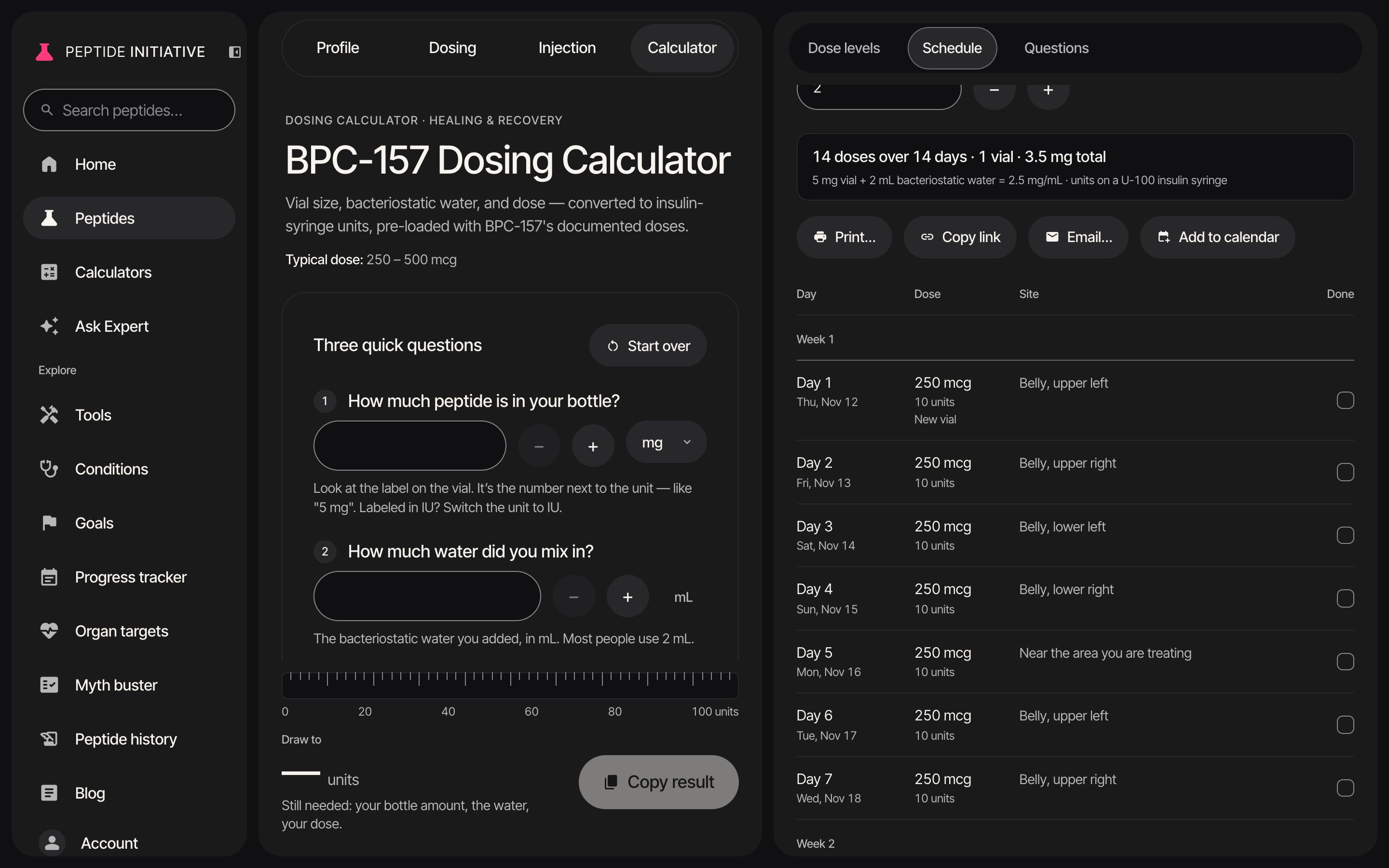
Save with a PIN
- 1Press Schedule in the section bar
- 2Press Save my protocol…
- 3Two ways to keep it: with a PIN, or with an account
- 4Choose With a PIN — no account needed
- 5Choose a 4-digit PIN and write it down — without an account it can't be recovered
- 6Press Save protocol
- 7Saved. Every change is kept. Anyone with the link can view it; only your PIN can change it
- 8Install as an app… puts it on your home screen, opening straight onto your schedule. It shows the steps for your phone or your browser
Watch
Save with a PIN
No account: a 4-digit PIN guards your protocol.
Save to your account
- 1Under Schedule, press Save my protocol…
- 2Signed in, choose With an account — it's on all your devices and in your progress tracker
- 3Saved to your account. Every change is kept, on all your devices
- 4Ticks save as you go too
Watch
Save to your account
Your protocol on every device, and in your progress tracker.
Lock and unlock
- 1Start from a protocol saved with a PIN
- 2Press Lock — on this device it can't be changed until the PIN is entered
- 3Locked: the fields fold away and the log takes no ticks
- 4To change it again, press Unlock to edit…
- 5Enter your PIN, then press Unlock
- 6Unlocked — your changes are kept again
Watch
Lock and unlock
Lock a PIN protocol on this device; your PIN opens it again.
Open a shared protocol
- 1A protocol link opens on its schedule — view only
- 2The ticks are the owner's. Only the owner can change it
- 3View only — make your own copy to tick doses
- 4Press Make my own copy
- 5This copy is yours to change. Save it to keep it
Watch
A shared protocol
Someone's protocol, opened from its link — and your own copy of it.
Good to know
- A PIN protocol: anyone with its link can view it; only the PIN can change it. The PIN can't be recovered, and wrong tries are limited — too many and it waits before letting you try again.
- The device that saved or unlocked a PIN protocol can change it until you press Lock — or for 90 days, after which it asks for the PIN again. Lock takes effect at once and can be undone for 6 seconds.
- Not signed in? With an account takes you to sign in or create an account, then finishes the save when you come back.
- You keep one account protocol per peptide. If you already have one, Save my protocol… offers Replace my saved protocol… instead — the one hard-to-undo action here: its schedule and ticked doses are replaced on all your devices and in your progress tracker, and that can't be undone. It asks once before it does.
- Your progress tracker holds one dose level at a time, so a Full documented progression schedule saved to your account stays on the calculator page.
- An account protocol and a PIN protocol for the same peptide are both kept; the card offers a button to open the other one.
- Opening someone's PIN protocol from its link, Enter PIN to edit… makes it yours on that device. An account protocol can only be changed by the account that saved it.
- Make my own copy starts from the shared schedule but not the owner's ticks, and lives in your browser until you save it.
- Installed as an app, your protocol opens straight onto its own schedule.