
Tutorial 2 of 15
Use a peptide's own calculator
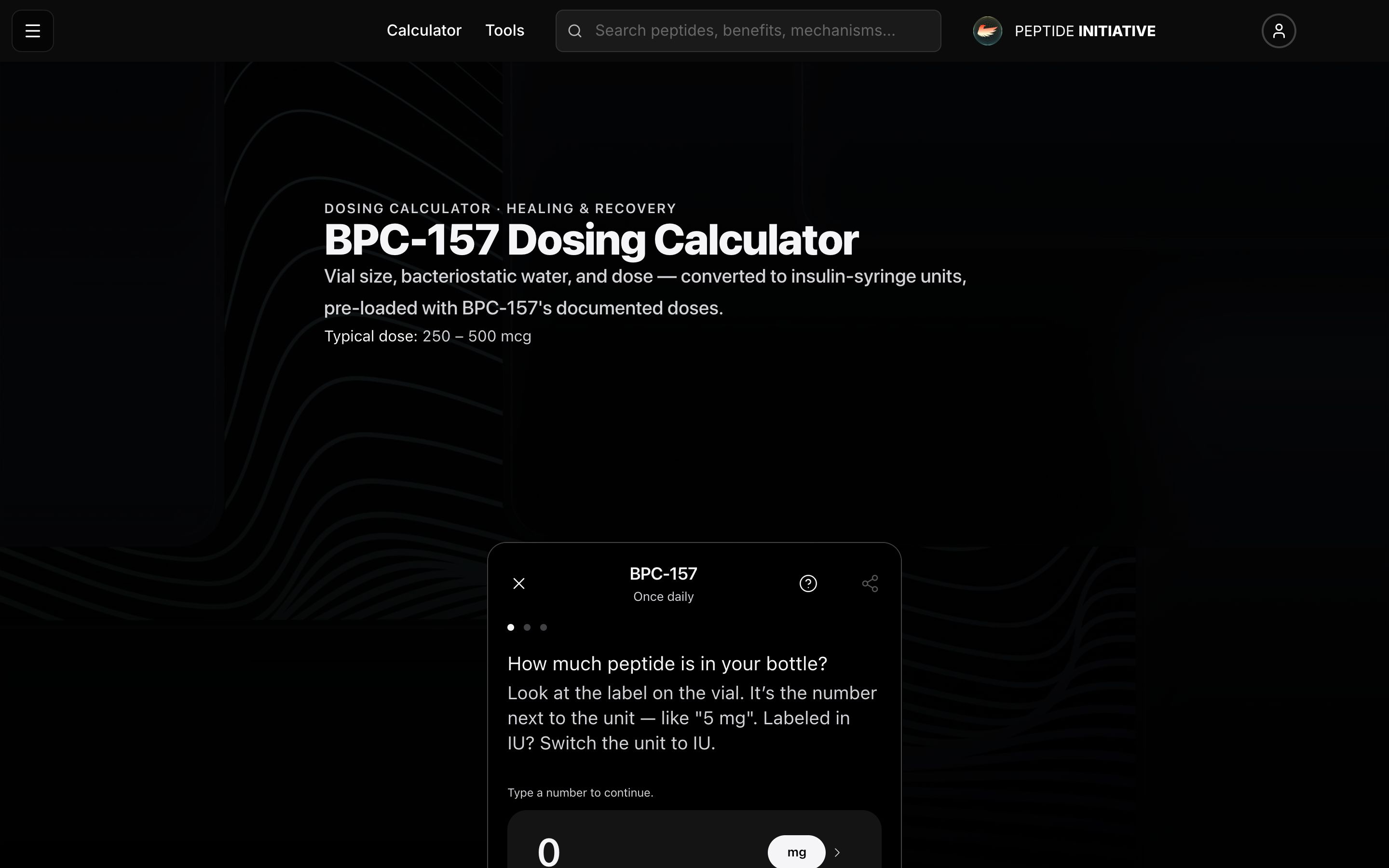
Every peptide has its own dosing calculator, with that peptide's documented doses built in — on its own page and inside its profile.
Doses built in
- 1On any peptide's profile, press its dosing calculator link under How much do I take?
- 2The calculator already knows the peptide and how often it's taken
- 3Answer the bottle and the water the same way — 5 mg, then 2 mL
- 4Not sure of your dose? Press Find dose amount
- 5These are the peptide's documented doses. Press the week you're on — the dose fills in for you
- 6Press See result, then Share — the message also names the peptide and how often it's taken
Watch
A peptide's calculator
BPC-157's calculator: its documented doses one press away, and a result you can send.
The reference under the calculator
- 1Every peptide's calculator page is titled with its name and typical dose
- 2Below the calculator: every documented dose level, phase by phase
- 3The reconstitution quick reference: a 5 mg vial at this peptide's typical dose, with 1, 2, or 3 mL of water
- 4Common dosing questions, answered from the same data
- 5The full profile and the full dosing protocol are one press away
Watch
The dose reference
Dose levels, the reconstitution table, and the dosing questions.
The calculator inside the profile
- 1On a profile, press Dosing in the section bar
- 2The calculator sits right in the dosing section
- 3Tap any key — the calculator comes into focus and the key still works: centered with the screen dimmed on a computer, full screen on a phone
- 4The dose question starts at the middle of the peptide's documented range — keep it or type your own
- 5Close it — or click outside — and you're back in the profile, right where you were
Watch
Inside the profile
The same calculator in the profile's dosing section.
Good to know
Find dose amount lists only that peptide's documented doses. Picking one fills in the dose — you still answer your own bottle and water.
Every peptide has a calculator page at /peptides/<name>/calculator.
The reconstitution table appears only when the peptide's dose figures are on record — no table means there are no figures to compute it from.