Site tutorials · Tutorial 15 of 27
Check whether a peptide fits you
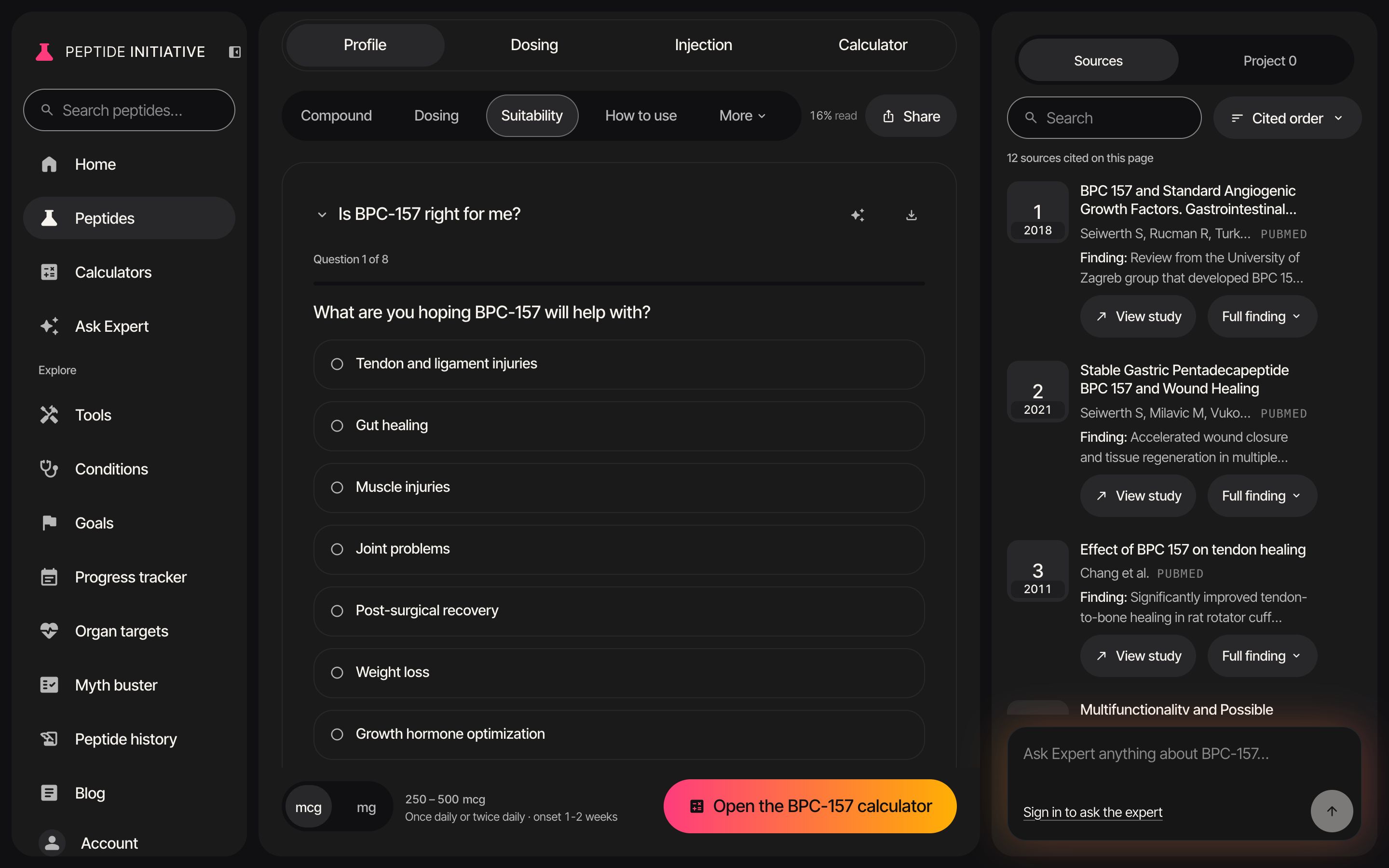
Check my fit asks only what the profile has a line for, then shows the page's own lines that match your answers.
Check my fit
- 1Press Suitability in the section bar — on a phone, press More, then Suitability
- 2Under Is BPC-157 right for me?, press Check my fit…
- 3Every question is built from this page's own lists
- 4Press an answer — a one-answer question moves straight on
- 5Where several can apply, tick each one that does, or the none option, then press Next
- 6On the last question, press See what the page says
- 7An answer that matches a line shows that line, under the heading the page lists it in. Stop and seek help if is always included
- 8Copy for my doctor copies the result as text, ready to paste. Done puts the section back
Watch
Check my fit
BPC-157's questions, answered through to the page's lines for those answers.
Good to know
- Every line in the result is quoted from this page. It is not a medical assessment.
- The number of questions depends on the peptide — the count is shown beside Check my fit…. A page with no conditions to check against has the button switched off.
- Back steps to the previous question with your answer kept. Start over clears every answer, and Undo brings them back.